Keep one aircraft on the runway at a time, know when to call a go-around, and handle emergencies and wind shifts without losing control.
One aircraft at a time
The runway is the busiest place at the airport. Only one aircraft can use it at once: a landing, a departure lining up and taking off, or an aircraft crossing. Each runway end has two hold-short lines, so departures can queue at a full-length or intersection entry while an arrival lands.
After touchdown, tap Clear runway to get the arrival off quickly. (With the Auto clear upgrade in My Airport, the tower does this for you.)
When to go around
If the runway is still busy when an arrival is on final, tap Go Around. It climbs away and comes back later. Leaving it to land on an occupied runway is a crash.
Runway emergencies
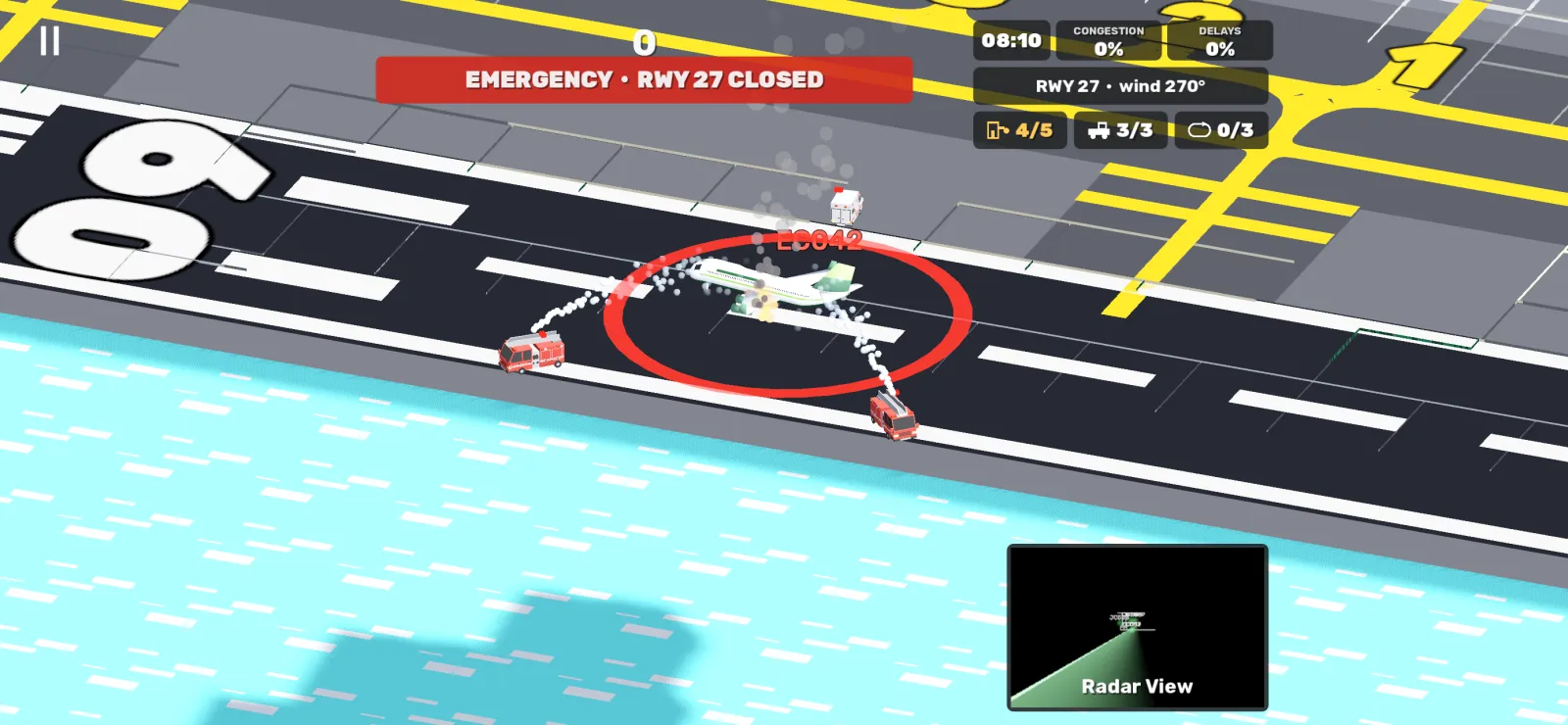
Sometimes a landing goes wrong: the runway closes and the fire crews drive out. Send every aircraft on final around; the runway reopens in under a minute.
A closure isn't your fault, so delays are forgiven: departures waiting at the gates stop counting as late while the runway is closed, and they get ten extra minutes when it reopens.
Wind shifts
A wind shift is announced 45 seconds ahead with a countdown. When it hits zero, runway 27 becomes runway 09: anything on approach goes around, the holds swap sides and departures stop where they are until you tap Taxi. Aircraft never turn round, so the route map only offers ways to the new end that keep them moving forward.
- In the last seconds of a countdown, don't clear new landings or line anyone up.
- Use the countdown to push back departures, which aren't affected until they taxi.