How a flight moves through Mini Airport, from the hold to the gate and back to the sky, and the order to do things in on your first shift.
Every flight passes through your hands twice
An arrival appears on the radar, flies to a hold, lands, clears the runway and taxis to a gate. After a turnaround at the gate it becomes a departure: it pushes back, taxis to the runway, lines up, takes off and is handed off to departure control.
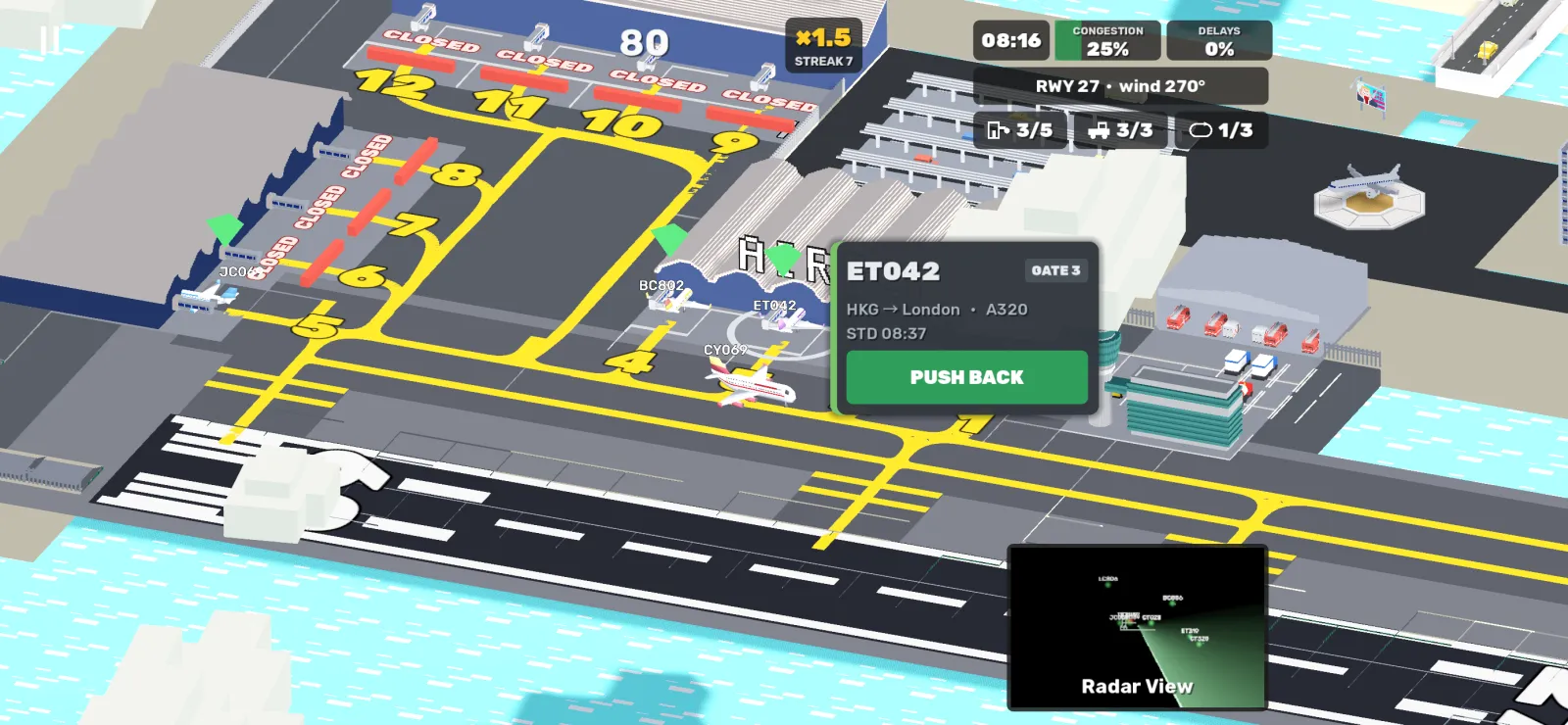
Each of those steps is one tap on the aircraft's flight strip (in the Radar View) or on the aircraft itself (in the Airport View), which opens a small menu beside it. Nothing moves until you give the instruction.
The order that keeps a shift calm
Airborne traffic first, then the runway, then the ground. An arrival that has nowhere to go burns fuel and fills the congestion meter; a departure at the gate only gets later.
- Send every new arrival to a hold as soon as it appears: tap RIVMI or LIMES on its strip.
- Land one aircraft at a time, and clear it off the runway as soon as it has slowed down.
- Push back departures in the gaps between landings, never while an arrival needs the runway.
- Hand off departures as soon as the button appears, a few seconds after take-off.
Use both views
The Airport View is for the ground: gates, taxiways and the runway. The Radar View shows the whole airspace, every airborne callsign, the two holds (LIMES and RIVMI) and a count of how many aircraft are in the air. Switch with the thumbnail in the bottom-right corner.